One dashboard for every project you're running.
See what's on fire from one spot and give clients their own view.
Every part of the work, in one connected whole.
Projects, milestones, meetings, risks, budgets, the client portal — the tools that used to live in separate apps move together as one. Spin the ball; whatever turns to the front is one screen inside Peak Elephant.
Every client engagement in one screen.
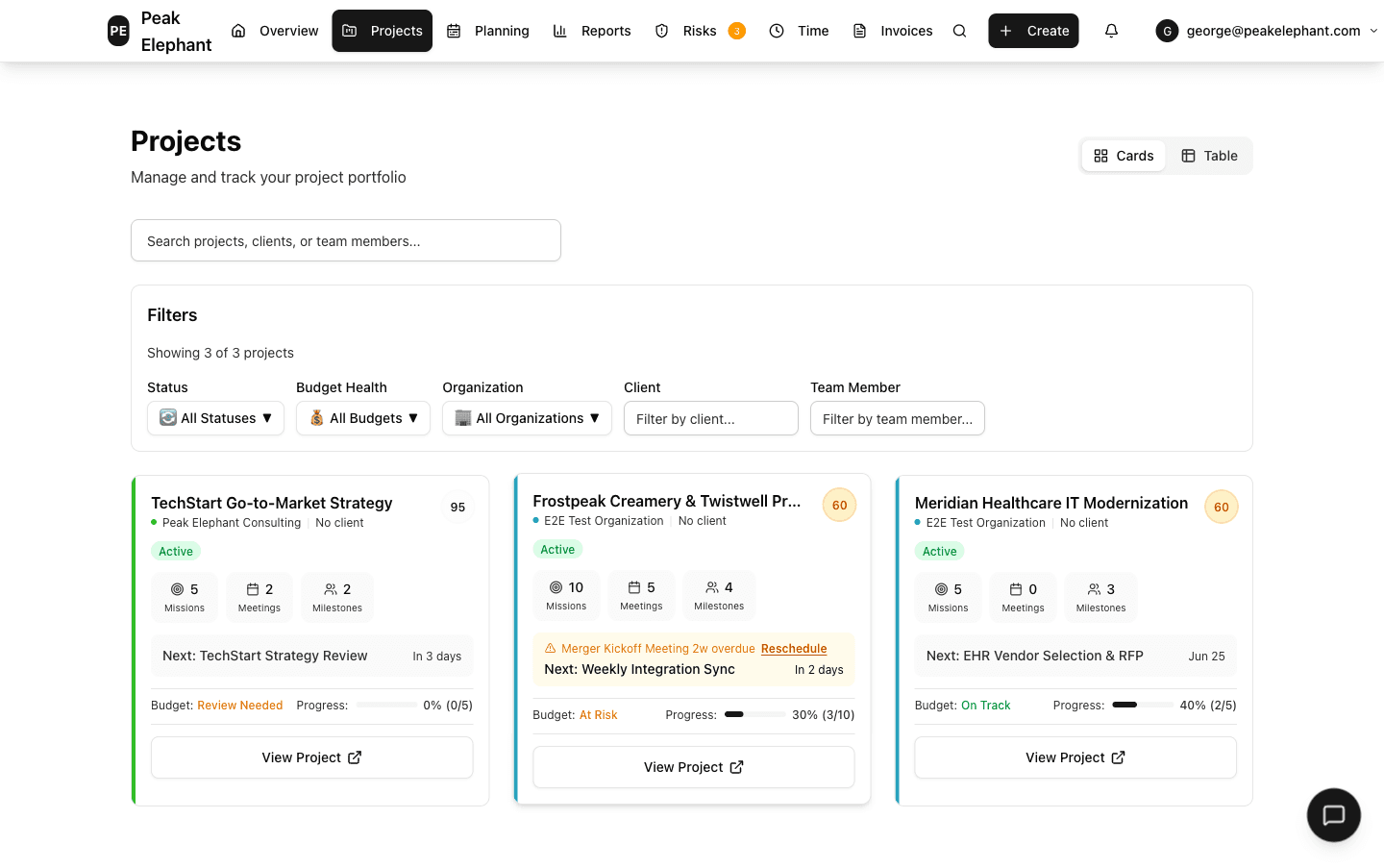
Three things it does that your current setup doesn’t.
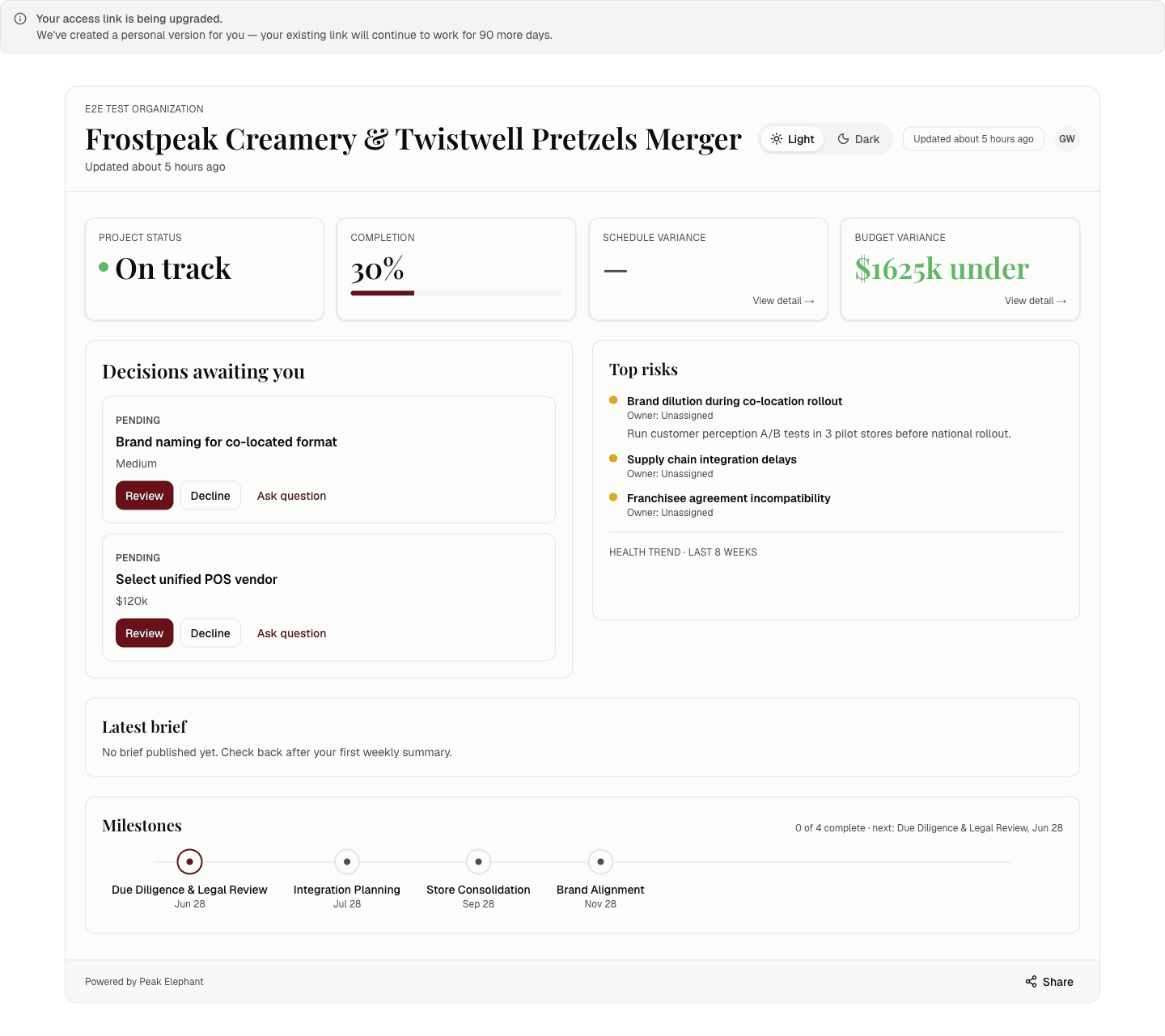
Secure Client Portals
Each client gets a private, secure link to exactly what you choose to share: project health, budget, and timeline. No account, no password, no extra seat.
Unified Multi-Client Dashboard
See every client engagement in one place. Filter by client when you need to focus; see all of them when you need the full picture.
Track risks the way you report them to clients
Log risks with probability and impact. The register surfaces what needs attention before a client asks about it.
Manage every meeting from its own project page — Agenda, notes, and follow-up live in the project where the work happens — not scattered across email or a separate notes app.
A client portal they actually check
Send one link and clients self-serve their status whenever they want. They check it; you stop writing the Monday-morning update email.
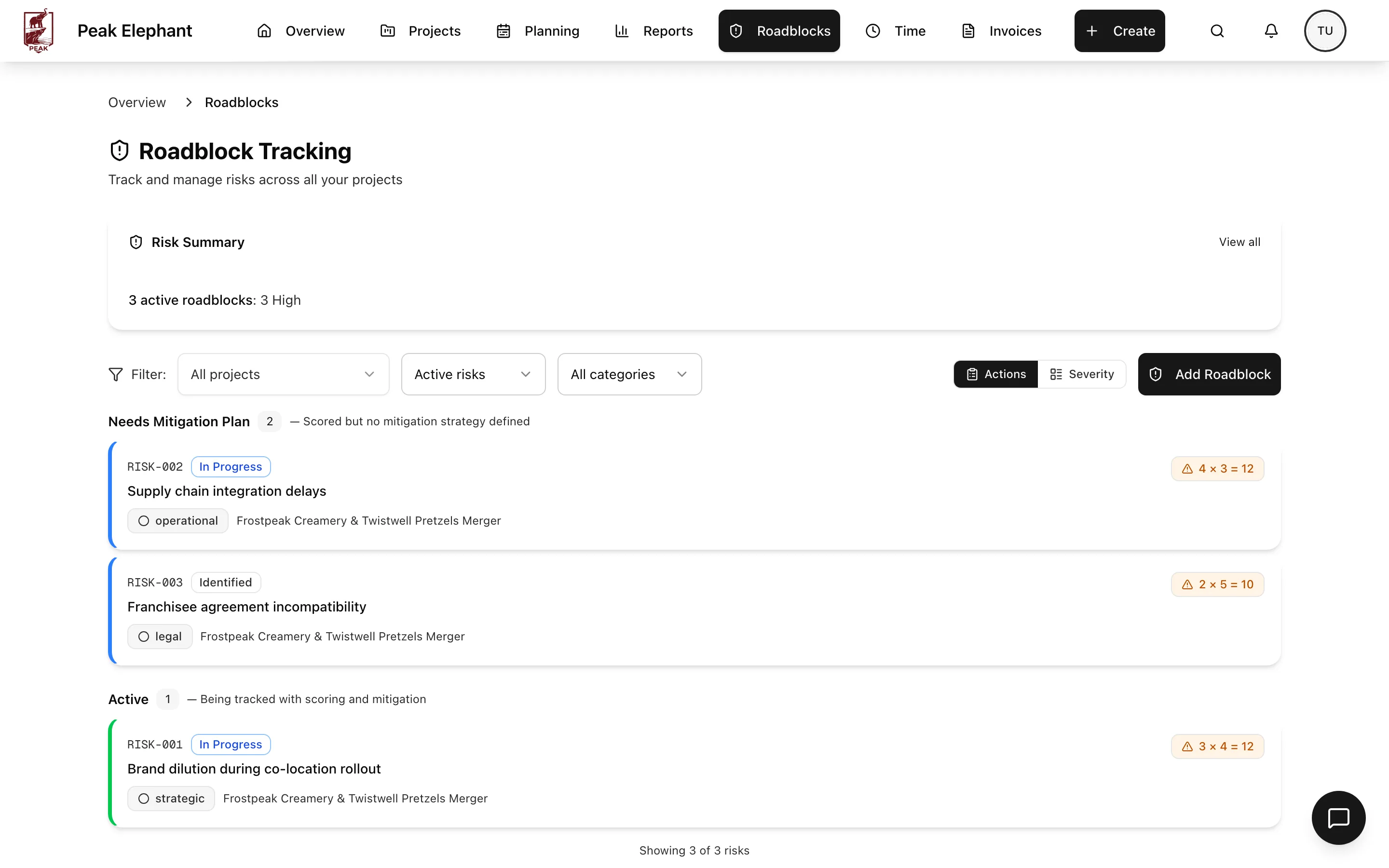
Know the probability and impact
Log risks the way you already report them to clients: probability, impact, and owner in one place. The register surfaces what needs attention before a client asks.
From kickoff to handoff
See every client engagement in one view.
Track work and time where you plan your week.
Hand clients a portal they actually check.
What else is in the box
Who this is for
Fractional executives
Fractional CMOs, CTOs, and COOs running 3-5 retainer engagements. The client portal maps directly to how you already brief each client.
Boutique agency owner-operators
3-10 person creative, dev, marketing, or strategy shops where the founder still runs delivery.
Multi-org contract managers
Contract managers who work for multiple organizations and need all clients' work in one dashboard, not five workspaces.
Simple, honest pricing
Free Trial Access
5 projects, 2 organizations, core task management, email support.
- 2 GB storage
Peak Elephant Pro
Unlimited projects, unlimited organizations, advanced task management, invoice management, priority support, AI insights, and analytics dashboards (per-client profitability, utilization, and budget burn).
- 5 GB storage